What Are the Top 10 Low Noise Fan Options?
Choosing a quiet fan is rarely as simple as comparing advertised decibel ratings. A fan that sounds gentle in a showroom may produce a noticeable hum beside a bed or desk. Airflow, motor design, blade shape, speed settings, and installation all affect what you hear. Small details matter.
This guide explores ten Low Noise Fan options for bedrooms, offices, living spaces, and other settings where steady airflow should not dominate the room. It considers practical factors such as listed sound levels, airflow capacity, controls, energy use, and ease of cleaning. Specifications can help narrow the field, but they do not tell the whole story. A wall, window, or nearby hard surface can change how sound carries. Even personal sensitivity varies.
The aim is not to declare one model universally silent. “Quiet” depends on the room, the chosen speed, and what noise you can tolerate. Very low settings may feel peaceful but move too little air on a hot afternoon. Higher settings may cool better while making a soft rush more obvious. There is a trade-off.
Use the comparisons as a starting point, then check current product specifications and independent reviews before buying. Some ratings are difficult to compare across brands, and that limitation deserves attention. A useful choice balances sound, comfort, and reliable airflow—not just a promising label.
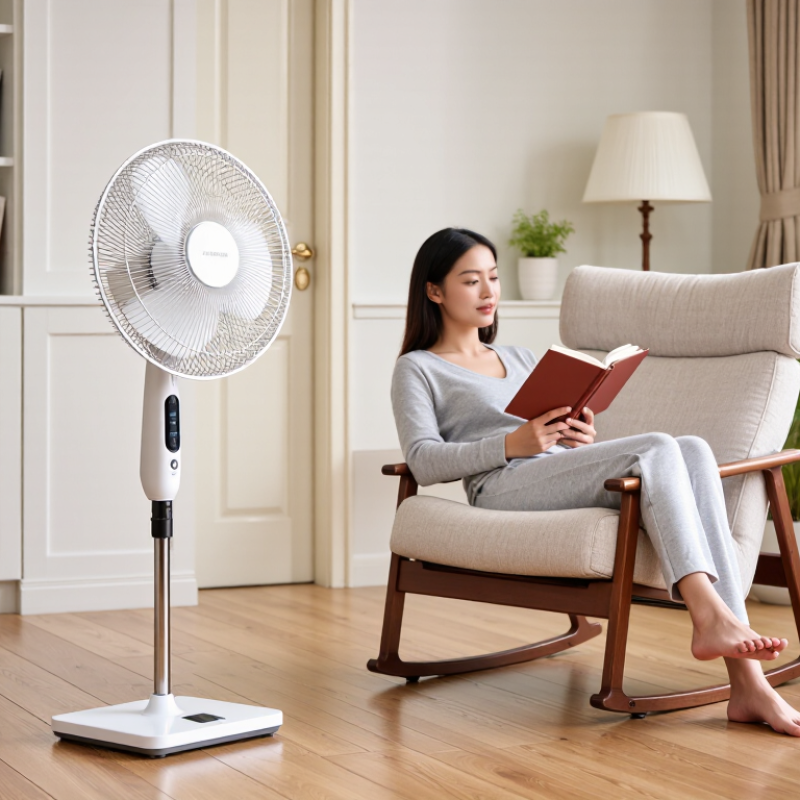
Understanding How Fan Noise Is Measured
Fan noise is commonly reported in dBA, a scale that adjusts sound measurements to reflect human hearing. Lower readings generally mean quieter operation, but decibels are logarithmic. A 3 dB increase represents about twice the sound energy, not twice the perceived loudness. Distance matters. A fan measured 30 centimeters away may seem much louder than one measured from a meter away. You may also notice a high-pitched motor tone even when the overall dBA reading looks low.
For a fair comparison among low-noise fan options, check the test distance, fan speed, and room conditions behind each figure. Background noise from a computer, heater, or traffic can distort a reading, especially at low levels. Fan speed matters, too: a model may be quiet at its lowest setting but noticeably louder when moving more air. Airflow and noise should be considered together. A neat specification can hide that trade-off, so I would not rank fans by one number alone.
Tips: Measure from the same distance in a quiet room, and keep the fan at a consistent speed. A basic sound meter or phone app can help compare changes, though phone results are not laboratory-grade. Listen for rattles and tonal hum as well as airflow; sometimes the measurement misses what feels irritating.
Key Features That Make a Fan Quieter
What Are the Top 10 Low Noise Fan Options?
Key Features That Make a Fan Quieter
A fan’s noise depends on more than its motor. Blade shape, rotation speed, airflow, and vibration all contribute to what you hear. Larger blades can often move the same air at lower speeds, reducing the soft whir of fast rotation. Well-balanced blades and smooth bearings also help prevent rattling. A stable base matters: even a quiet motor can make a loose desk vibrate.
Look for clear sound ratings in dBA, and compare models measured under similar conditions. Distance and room acoustics can change perceived loudness, so a published number is not a perfect guide to bedroom comfort. NIOSH’s Criteria for a Recommended Standard: Occupational Noise Exposure sets an 85 dBA recommended limit for an eight-hour workday, using a 3 dB exchange rate. That is a hearing-risk benchmark, not a comfort target for home use. One limitation: hard walls can make a low hum seem surprisingly noticeable.
Tips: Test the fan at your usual seating distance. Listen at each speed, especially the lowest setting. Check for blade wobble, ticking, or a vibrating base. Quiet matters, but so does airflow.
Top 10 Low-Noise Fan Options by Type
Low-noise fan choices depend on room size, airflow, and where the sound travels. A desk fan suits a small workspace; rubber feet can reduce vibration against a hard tabletop. Tower fans save floor space and spread air vertically, though narrow vents may produce a soft hiss. Pedestal fans move air across a wider area, but their height and oscillation can make loose parts rattle. Box fans are simple and useful near an open window, yet their broad blades can sound rough at high speed. Clip-on fans direct airflow at a bedside or shelf. Check the clamp: a thin shelf may amplify humming.
For compact personal cooling, USB fans use little space, but their airflow is limited. Ceiling fans can run quietly at low speed when balanced and properly mounted. A floor air circulator pushes air farther across a room; place it on a solid surface to limit buzzing. Window fans help exchange indoor air, although outside traffic may become more noticeable. Wall-mounted fans keep floors clear, but installation quality affects vibration. Inline duct fans suit ventilation routes, especially when flexible connectors reduce transferred noise. Listen at the speed you will actually use. Quiet is not silent. I would compare sound at the same distance, because advertised figures can be hard to compare.
Comparing Airflow, Noise Levels, and Energy Use
What Are the Top 10 Low Noise Fan Options?
Comparing Airflow, Noise Levels, and Energy Use
A quiet fan is not always a weak fan. Compare airflow, measured in cubic feet per minute, with sound ratings taken at the same distance. Ten useful options include large-blade ceiling fans, DC-motor ceiling fans, tower fans, desk fans, pedestal fans, air circulators, bladeless fans, window fans, box fans, and compact floor fans. Large blades can move air slowly across a room, while a small desk fan suits one person. DC motors often use less electricity at lower speeds, but actual consumption varies by model. A bladeless design may be easy to clean, yet it is not automatically quieter. Check the lowest and highest settings.
Tips: Compare decibel ratings only when testing conditions match. Place the fan on a solid, level surface; a rattling desk can make a quiet motor sound loud. Dust on blades and grilles can also disrupt airflow. Clean carefully.
Room size changes the trade-off. A window fan can exchange air effectively, but outside traffic may become more noticeable. Tower models take little floor space, though their narrow airflow may not cool a whole room evenly. For bedrooms, listen at the speed you will actually use, not just the advertised quiet setting. I would also check power use with a meter if the fan will run nightly; estimates can miss real-world differences.
Top 10 Low-Noise Fan Options
Comparing airflow, noise levels, and energy use
Larger airflow can come with more noise and higher power use. Values are rounded, representative operating-point estimates for these fan categories—not standardized test results. Actual performance varies by model, speed setting, and measurement distance.
How to Choose a Fan for Your Room and Needs
Choosing a quiet fan starts with the room, not the product label. Measure the space and note where people sit or sleep. A compact desk fan may suit a bedside table, while a larger room often needs broader airflow or an oscillating head. Check the stated noise level, but treat it as a guide: distance, flooring, and room acoustics can change what you hear. Measure the room.
Think about how you will use it. For sleep or focused work, look for several speed settings and a low setting that still moves enough air. A timer, dim display, and stable base can matter more than extra modes. Listen at night. A faint motor hum may fade in a busy daytime room but feel sharp beside a pillow. Place the fan away from loose papers and curtains, and clean the grille regularly; dust can restrict airflow and contribute to rattling. If possible, compare fans from your usual seat. A quiet demonstration can be appealing, but weak airflow may disappoint once the fan is in your room.